.png)
AI productivity tools have reshaped how high-performing teams and individuals manage time, decisions, and output. Used correctly, these tools reduce manual effort, eliminate bottlenecks, and create repeatable efficiency across daily workflows.
The real value of these tools lies in structured adoption, not experimentation. When aligned with clear goals, AI enhances focus, supports better prioritization, and strengthens execution across complex work environments.
Best AI Productivity Tools Teams Use Today
AI productivity tools fall into clear categories based on how they support work, not on flashy features. Understanding these types helps teams avoid tool sprawl and choose solutions that fit real workflows.
Each category supports a specific stage of work, from planning through execution and review.
Most productivity gains come from combining the right tool types rather than relying on one system to do everything. Teams that understand these categories adopt AI with clearer intent and achieve more consistent results over time.
AI task and project management
An AI task and project management tool sits at the centre of execution. They focus on how work is planned, prioritized, and tracked as conditions change, helping teams maintain clarity without constant manual coordination.
Commonly used tools include:
- Dart – Designed to support AI-first workflows by helping teams capture, prioritize, and execute work in one place without adding tool complexity.
- Asana – Uses AI to surface priorities, predict delivery risks, and summarize project progress as work evolves.
- ClickUp – Applies AI across tasks, docs, and goals to reduce planning overhead and keep execution visible in one place.
- Linear – Favoured by product teams for fast, low-friction task tracking with AI-assisted triage and prioritization.
These tools help work stay organized as priorities shift, ownership changes, and dependencies evolve.
AI meeting notes and action capture
Meetings only create value when outcomes are captured clearly. An AI meeting tool focuses on turning discussion into structured follow-through, reducing reliance on memory and manual note-taking.
Common tools include:
- Otter.ai – Transcribes conversations and highlights key points and decisions automatically.
- Fireflies.ai – Extracts action items and syncs them into task systems to support execution.
- Fathom – Focuses on fast summaries and decision capture for client and internal meetings.
These tools reduce follow-ups and keep meeting outcomes tied to actual work.
AI writing and summarization
AI writing and summarization tools reduce time spent drafting, rewriting, and reviewing information. Their value comes from speeding up routine communication while maintaining clarity.
Teams commonly use:
- ChatGPT – Drafts, refines, and summarizes content across a wide range of work contexts.
- Claude – Often used for longer documents and structured reasoning tasks.
- Notion AI – Embedded directly into documentation and task workflows.
These tools improve information flow so decisions happen faster and with less friction.
AI knowledge search and documentation
Knowledge tools help teams find answers without interrupting others. AI enhances these systems by surfacing relevant information from existing documentation and connected tools.
Examples include:
- Notion – Combines documentation, tasks, and AI-powered search in one system.
- Confluence – Uses AI to summarize pages and surface related knowledge across teams.
- Guru – Keeps verified answers accessible directly inside daily tools.
These tools reduce delays caused by information bottlenecks during execution.
AI workflow automation
A workflow automation tool removes repetitive manual steps between systems. AI improves automation by responding to context rather than fixed rules alone.
Common tools include:
- Zapier – Connects thousands of tools to automate handoffs and updates.
- Make – Offers more complex logic for teams with advanced workflow needs.
Used well, these tools reduce admin without obscuring ownership.
AI reporting and insights
AI reporting tools focus on visibility rather than execution. They help teams understand what’s happening by analysing live data instead of relying on manual updates.
Widely used tools include:
- Power BI – Applies AI to detect trends and anomalies in operational data.
- Tableau – Surfaces patterns and performance signals across complex datasets.
These tools support better decisions by replacing anecdotal updates with real execution signals.
8 Practical ways teams save hours each week with AI
Teams lose time to fragmented execution rather than a lack of effort. Repetitive admin, unclear priorities, and constant interruptions quietly slow progress across the week. AI tools reduce this friction by enabling consistent execution across day-to-day work.
When applied intentionally, AI helps teams protect focus and reduce wasted effort across workflows. The value of AI is evident through efficiency gains that compound over time, rather than one-time hacks.
Automate admin and follow-ups
Administrative work expands when coordination relies on memory and manual effort. Emails, reminders, and follow-ups interrupt focused work and delay delivery. AI reduces this drag through background automation that keeps recurring tasks moving.
- Create follow-up tasks automatically so clear ownership stays visible across the week
- Send deadline-based nudges so manual chasing happens less during delivery cycles
- Sync updates across tools so system handoffs don’t slow active work down
Turn meetings into action items
Meetings lose value when outcomes aren’t captured clearly. Decisions get revisited, and action items go unowned. AI helps convert discussion into actionable outputs that remain tied to task execution.
- Extract decisions and next steps so post-meeting clarity improves for everyone involved
- Assign owners automatically so reduce execution ambiguity becomes the default in tasks
- Push actions into task systems so workflow continuity remains intact across team updates
Break ideas into clear tasks
Unclear inputs slow teams and increase rework. Ideas often enter workflows without enough structure to act on confidently. AI converts raw input into defined tasks that teams can execute quickly.
- Translate notes into structured actions so that team alignment improves across deliverables
- Standardize task formats so process consistency stays steady across repeated work
- Flag missing details early so future rework is less likely during delivery phases
Prioritize work with AI triage
When everything feels urgent, focus tends to disappear quickly. Teams react instead of executing intentionally. AI triage supports better prioritization using context signals from active work.
- Rank tasks by impact and urgency so sustained focus is easier to maintain weekly
- Surface at-risk work early, so reactive firefighting happens less during crunch times
- Deprioritize low-value tasks so available capacity stays protected for key work
Reduce context switching
Tool hopping fragments attention and slows execution. Even small interruptions compound into lost hours. AI reduces this cost by providing shared context across tools and workflows.
- Pull relevant information into one view, so faster decisions happen with fewer tab jumps
- Answer task-related questions instantly so workflow interruptions drop during focused time
- Filter noise during planning so execution momentum stays stronger across the day
Automate status updates and reports
Manual reporting consumes time without adding insight. Teams repeatedly recreate the same updates across stakeholders. AI project reports are useful as AI generates updates using live data from ongoing work.
- Produce stakeholder updates automatically, so ongoing visibility improves without manual effort
- Summarize progress from task activity, so the report accuracy stays higher across channels
- Replace status meetings with async updates, so that timely decisions are easier to make weekly
Standardize work with smart templates
Rebuilding workflows wastes time and creates inconsistency. Teams need a structure that doesn’t slow execution. AI-powered templates support repeatable work through prebuilt workflows that reduce setup effort.
- Auto-fill tasks by project type, so initial setup takes less time for new work
- Enforce standards through structured inputs so work quality stays consistent across teams
- Reduce onboarding time with guided templates so best practices spread faster internally
Surface blockers early
Delays often come from small issues left unnoticed. Blockers surface too late to correct easily. AI monitors execution using workflow signals that reveal risk earlier.
- Detect stalled tasks early so delivery bottlenecks don’t build up unnoticed in queues
- Flag workload imbalances so team output stays steadier during busy periods
- Highlight unresolved dependencies so steady progress continues across critical paths
Real reasons work still feels slow
Work feels slow, not because teams lack tools or effort, but because underlying workflow problems remain unresolved.
AI alone doesn’t fix broken execution patterns when friction is embedded in how work moves. These issues create ongoing delays through persistent drag across weekly delivery.
Understanding these causes matters because speed problems are often misdiagnosed. Teams add more tools or meetings instead of removing friction from the workflow. The result is extra activity with minimal progress across key outcomes.
Tool overload and context switching
Most teams use too many tools that don’t work well together. Information gets scattered across apps, forcing people to constantly switch context. This fragmentation reduces focus and increases strain via cognitive load during delivery cycles.
- Work spreads across tools and creates fragmented attention during deep-work blocks
- Switching between apps increases reset time for task completion
- Lack of integration forces teams into manual coordination across day-to-day work
Unclear priorities and constant urgency
When priorities aren’t clear, everything feels urgent. Teams react to the loudest request instead of focusing on what matters most. This leads to rushed decisions and weaker outcomes through shallow execution across core work.
- Competing requests create priority confusion across teams each week
- Urgent work crowds out high-impact tasks during planning cycles
- Lack of clarity causes frequent reprioritization in active sprints
Manual handovers and missing ownership
Work slows down when ownership isn’t explicit. Tasks get passed between people without clear responsibility, creating delays and repeated follow-ups. Manual handovers introduce hidden gaps via execution drift across stages.
- Tasks move forward without accountability signals attached in the system
- Handovers rely on chats instead of shared visibility across tools
- Delays surface late due to missing ownership during approvals
Meeting sprawl and status chasing
Meetings expand to compensate for the lack of visibility. Teams schedule more check-ins to stay aligned, reducing time for focused work. This creates heavier calendars with meeting sprawl across the week.
- Status meetings replace async updates and create time loss in peak hours
- Decisions get revisited due to poor documentation across workstreams
- Follow-ups increase because outcomes lack clear tracking in tools
Rework from poor inputs
Poorly defined inputs create downstream rework. When tasks start without enough context, teams spend time clarifying instead of executing. This produces delays through avoidable rework across deliverables.
- Vague requests result in misaligned execution across contributors early
- Missing details cause repeated clarification cycles during delivery
- Quality issues surface late due to weak inputs during kickoff
AI workflows that productive teams reuse each week
%20(1).jpg)
High-performing teams don’t rely on one-off AI experiments. They reuse a small set of workflows that reduce friction and decision fatigue week after week. These workflows work because they support repeatable execution across delivery cycles reliably.
The value of AI for productivity shows up when AI supports the same moments repeatedly. Planning, coordination, execution, and review improve when workflows stay consistent.
The sections below focus on workflows that teams reuse because they save time through reliable output across teams.
Daily planning and prioritization
Daily planning breaks down when priorities shift constantly. Teams waste time deciding what to work on instead of executing. AI supports daily planning by maintaining priority clarity during changing work demands.
- AI reviews tasks and highlights work that matters for today’s schedule
- Planning views update automatically as new inputs arrive during the day
- Teams reduce debating time when daily priorities stay visible in one place
Weekly alignment and execution
Weekly alignment often turns into status sharing instead of planning. Without structure, teams leave meetings without clear commitments. AI supports alignment by reinforcing execution goals across the team for the week.
- AI summarizes weekly objectives and surfaces key dependencies before work begins
- Ownership stays clearer when team commitments are recorded in the system
- Teams reduce midweek confusion when weekly plans are easy to reference later
Project kickoff workflow
Project kickoffs fail when context lives in too many places. Teams lose time asking basic questions instead of moving forward. AI supports kickoffs by building a structured context that teams can act on quickly.
- Project inputs become actionable when task breakdowns are generated from notes
- Roles stay clearer when early ownership is captured before execution starts
- Ramp-up time drops when kickoff materials are centralized for the team
Campaign or sprint workflow
Campaigns and sprints move fast, which amplifies small inefficiencies. Without structure, teams rely on memory and meetings to stay aligned. AI supports these cycles by maintaining execution rhythm across delivery work.
- AI tracks progress and flags risk signals while deadlines are still manageable
- Teams adjust scope faster when live activity is reflected in planning views
- Less time goes into chasing updates when the current status stays visible centrally
Stakeholder updates
Stakeholder communication slows teams when updates are manual. Recreating the same summaries pulls focus away from delivery. AI streamlines updates by generating status summaries from current work activity.
- Updates stay accurate when task data feeds the summary automatically
- Teams avoid duplicate reporting across stakeholder groups with one source of truth
- Communication interrupts less work when update drafts are prepared asynchronously
Post-launch reviews
Post-launch reviews often get skipped when teams move on too quickly. Without reflection, the same issues repeat. AI supports reviews by surfacing execution patterns teams can improve in the next cycle.
- AI highlights blockers and delays through impact signals seen in delivery timelines
- Teams find improvements faster when trend insights summarize recurring issues
- Learnings get reused when review notes are stored for future planning use
How to choose AI productivity tools that actually save time
Choosing these tools isn’t about feature depth or brand recognition. The real risk is adopting tools that add complexity instead of removing friction. Teams save time when tools fit existing workflows and reinforce practical execution habits.
Most failed AI rollouts come from misalignment, not technology gaps. When selection focuses on how work actually moves, teams see faster adoption and more measurable time savings over the long term.
Match tools to workflow stages
AI tools deliver value only when they align with specific stages of work. Planning, execution, and review each require different support. Matching tools correctly prevents friction and improves workflow continuity.
- Planning improves when task visibility aligns with decision-making moments
- Execution moves faster when handoff support fits how work flows
- Reviews become easier when output tracking reflects real activity
Reduce tool sprawl
Adding tools often increases overhead instead of efficiency. Each extra platform creates more switching and coordination work. Reducing sprawl helps teams maintain focus and consistency across tasks.
- Fewer tools reduce context switching during deep work
- Consolidation improves information visibility across teams
- Clear tool roles prevent duplicate effort in execution
Prioritize adoption over features
A powerful tool delivers no value if teams don’t use it. Adoption depends on clarity, simplicity, and habit formation. Teams gain more when tools support everyday usage patterns.
- Simple interfaces improve early adoption across roles
- Familiar workflows reduce learning resistance during rollout
- Consistent use creates compounding benefits over time
Evaluate integrations and data flow
AI tools must work well with existing systems. Poor integrations create gaps that require manual fixes. Strong data flow supports connected workflows without extra effort.
- Bi-directional syncing maintains data accuracy across tools
- Automated updates reduce manual reconciliation between systems
- Unified views improve decision context during execution
Review security and permissions
AI tools often access sensitive data. Without proper controls, teams risk exposure and misuse. Strong governance supports responsible adoption without slowing work.
- Permission controls protect confidential information across teams
- Audit trails support accountability standards during usage
- Compliance checks reduce operational risk over time
Avoid the “pilot forever” trap
Many teams test AI tools without committing to real adoption. Endless pilots delay value and create skepticism. Clear decisions help teams move toward meaningful deployment.
- Defined success criteria enable go/no-go decisions early
- Time-bound pilots prevent stalling adoption indefinitely
- Clear ownership accelerates rollout momentum across teams
The AI-first workflow framework
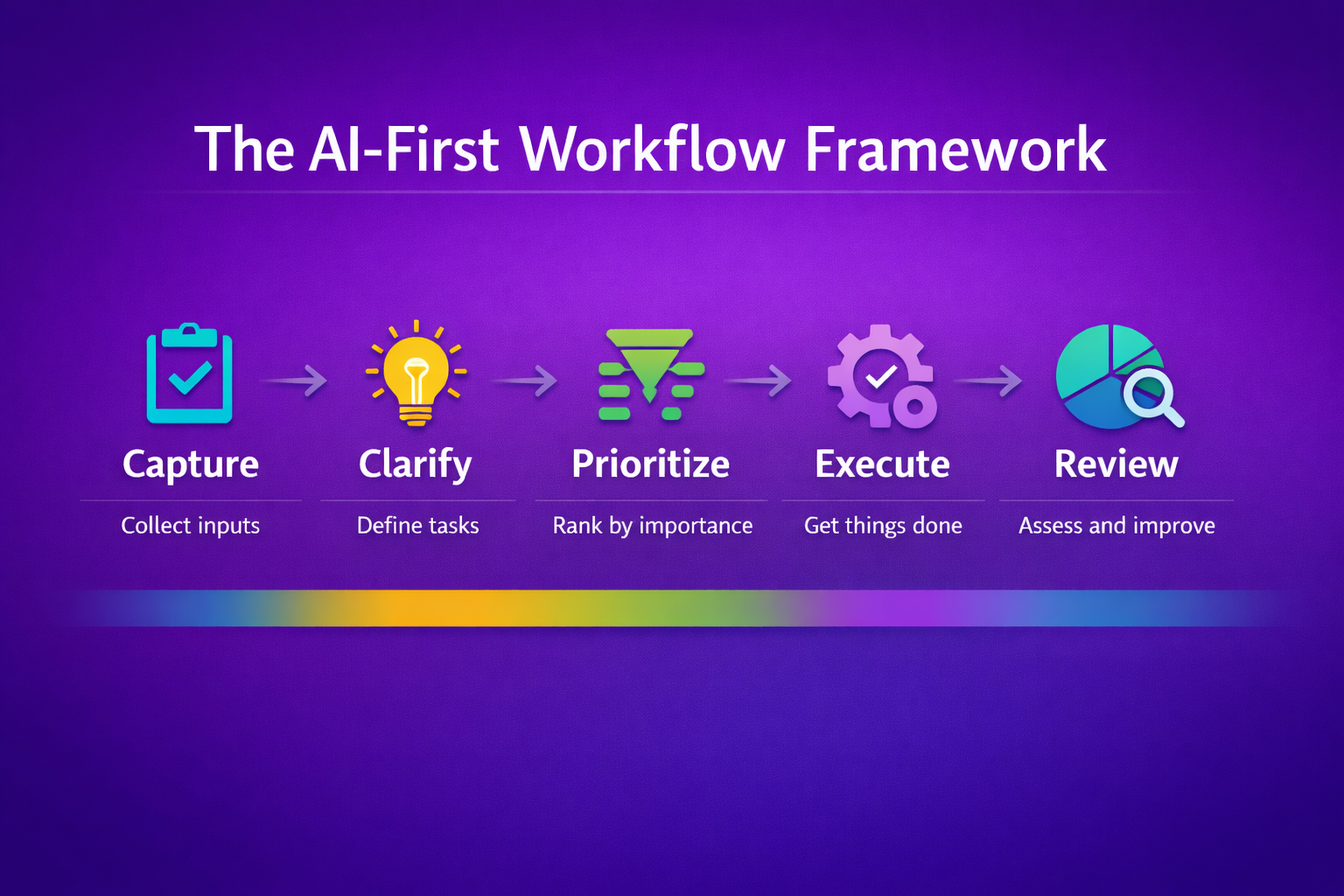
An AI-first workflow focuses on how work moves, not on individual tools. Instead of layering AI on top of broken processes, teams redesign workflows so AI supports decisions at the right moments. This framework creates a consistent execution flow across planning, delivery, and review.
The strength of this framework is simplicity. Each stage reflects how work naturally progresses, with AI assisting where friction usually appears. When applied consistently, it reduces delays and improves end-to-end clarity without adding complexity.
Capture
Work breaks down when inputs arrive scattered and incomplete. Ideas, requests, and decisions often live across chats, emails, and meetings. AI improves this stage by centralizing inputs and preserving the original context from the start.
- Inputs are captured automatically from messages and meetings, with source context intact
- Requests enter systems consistently to reduce missed information during intake
- Early capture prevents downstream delays caused by forgotten details later
Clarify
Captured inputs are rarely ready for execution. Without clarification, teams waste time asking follow-up questions mid-task. AI supports this stage by turning raw inputs into action-ready structure early.
- Vague requests become clearer through task enrichment using context
- Missing details are flagged before work begins to reduce execution friction
- Clear expectations lower rework caused by assumption gaps later
Prioritize
When prioritization is manual, urgency replaces importance. Teams react instead of planning intentionally. AI strengthens this stage by evaluating work using relevant signals rather than noise.
- Tasks are ranked using impact and timing for better focus across the week
- At-risk work surfaces early to reduce last-minute pressure
- Low-value tasks are deprioritized to protect available capacity for key work
Execute
Execution slows when teams lose visibility or context mid-work. Status chasing and handoffs interrupt momentum. AI supports execution by maintaining real-time awareness across tasks.
- Progress updates stay current through activity tracking inside systems
- Blockers surface automatically to prevent silent delays during delivery
- Teams move faster when shared visibility replaces manual check-ins
Review
Without review, inefficiencies repeat unnoticed. Teams move on before learning from outcomes. AI strengthens review by highlighting patterns over time rather than isolated issues.
- Delays and bottlenecks become visible through trend analysis
- Workflow issues are identified using historical signals from execution data
- Insights are reused when reviews inform future planning decisions
What to review weekly and monthly
Reviewing work consistently is what turns AI from a one-time boost into a long-term advantage. Without regular reviews, inefficiencies quietly return, and automations drift out of sync with reality. Weekly and monthly reviews help teams maintain execution discipline as work evolves.
The key is separating short-term signals from long-term health. Weekly reviews focus on momentum and delivery, while monthly reviews assess whether workflows still support sustained productivity over time.
Weekly execution signals
Weekly reviews focus on whether work is actually moving as planned. These signals help teams catch issues early, before delays become systemic. AI surfaces execution data that reveals real progress indicators instead of assumptions.
- Task movement shows whether planned work is advancing as expected
- Blockers appear early through stalled activity across tasks
- Missed deadlines highlight execution gaps that need attention
Monthly workflow health checks
Monthly reviews step back from delivery and assess how workflows perform overall. The goal is to evaluate whether systems still support the way teams work. AI helps identify structural friction that builds gradually.
- Workflow steps are reviewed for unnecessary complexity across projects
- Handoffs are evaluated to detect repeated slowdowns over time
- Process consistency is checked to maintain reliable execution patterns
Adoption and usage trends
Tools only create value when they are used consistently. Adoption reviews reveal whether AI features support real work or remain unused. Tracking trends helps teams reinforce habit formation where it matters.
- Usage data shows which tools see regular engagement across roles
- Drop-offs highlight where workflow fit may be weak
- Consistent usage signals long-term viability of the toolset
Automation effectiveness
Automations need regular evaluation to stay useful. As work changes, outdated automations can create errors or noise. Reviewing effectiveness ensures automation continues to deliver time savings instead of friction.
- Automation triggers are checked for accurate timing during execution
- Failure cases reveal where manual overrides still occur
- Output quality is reviewed to ensure useful results remain consistent
Refinement opportunities
Refinement turns insight into improvement. Reviews should always end with small, actionable changes rather than broad conclusions. AI supports refinement by highlighting specific adjustment points worth testing.
- Workflow tweaks target recurring delays seen in reviews
- Tool settings are adjusted to improve signal relevance for teams
- Small changes compound into measurable gains over future cycles
Mistakes that cancel out AI productivity gains
AI productivity gains disappear when tools are layered onto poor workflows. Instead of saving time, teams amplify inefficiencies and add complexity. These mistakes undermine expected efficiency gains even when the tools themselves are capable.
Avoiding these issues matters more than adding new features. Teams that correct these fundamentals see stronger results because AI supports sound execution habits rather than compensating for broken ones.
Automating broken processes
Automation magnifies whatever process it touches. If a workflow is unclear or inefficient, automation accelerates the problem. AI should reinforce healthy workflows rather than locking in poor practices.
- Broken steps get repeated faster through automated repetition instead of being fixed
- Errors scale quickly when flawed logic is embedded in automation
- Teams lose trust when automation produces unreliable outcomes consistently
Too many tools at once
Adopting multiple AI tools simultaneously overwhelms teams. Instead of productivity gains, teams struggle with learning curves and coordination. This leads to tool fatigue rather than efficiency.
- Learning effort increases when multiple interfaces compete for attention
- Overlapping features cause duplicate workflows across systems
- Adoption slows when teams face too many changes at once
Poor data hygiene
AI relies on the quality of the data it processes. Incomplete or outdated data leads to poor outputs and incorrect decisions. Weak inputs result in misleading signals that waste time.
- Inaccurate data produces low-confidence outputs across tasks
- Outdated information leads to wrong prioritization decisions
- Inconsistent inputs reduce the overall reliability of AI assistance
Low-quality AI-generated tasks
AI-generated tasks still require review. When teams accept outputs without validation, quality suffers. This creates extra work through downstream correction instead of saving time.
- Vague tasks increase clarification cycles during execution
- Missing context causes misaligned work across contributors
- Poor task quality leads to avoidable rework later
One-time setup mentality
AI workflows are not set-and-forget systems. As work evolves, automations need adjustment. Treating setup as a final cause causes gradual performance decay over time.
- Changing workflows reduces automation accuracy if left unreviewed
- New use cases expose configuration gaps in existing setups
- Ongoing review maintains long-term effectiveness of AI workflows
Best practices for long-term results
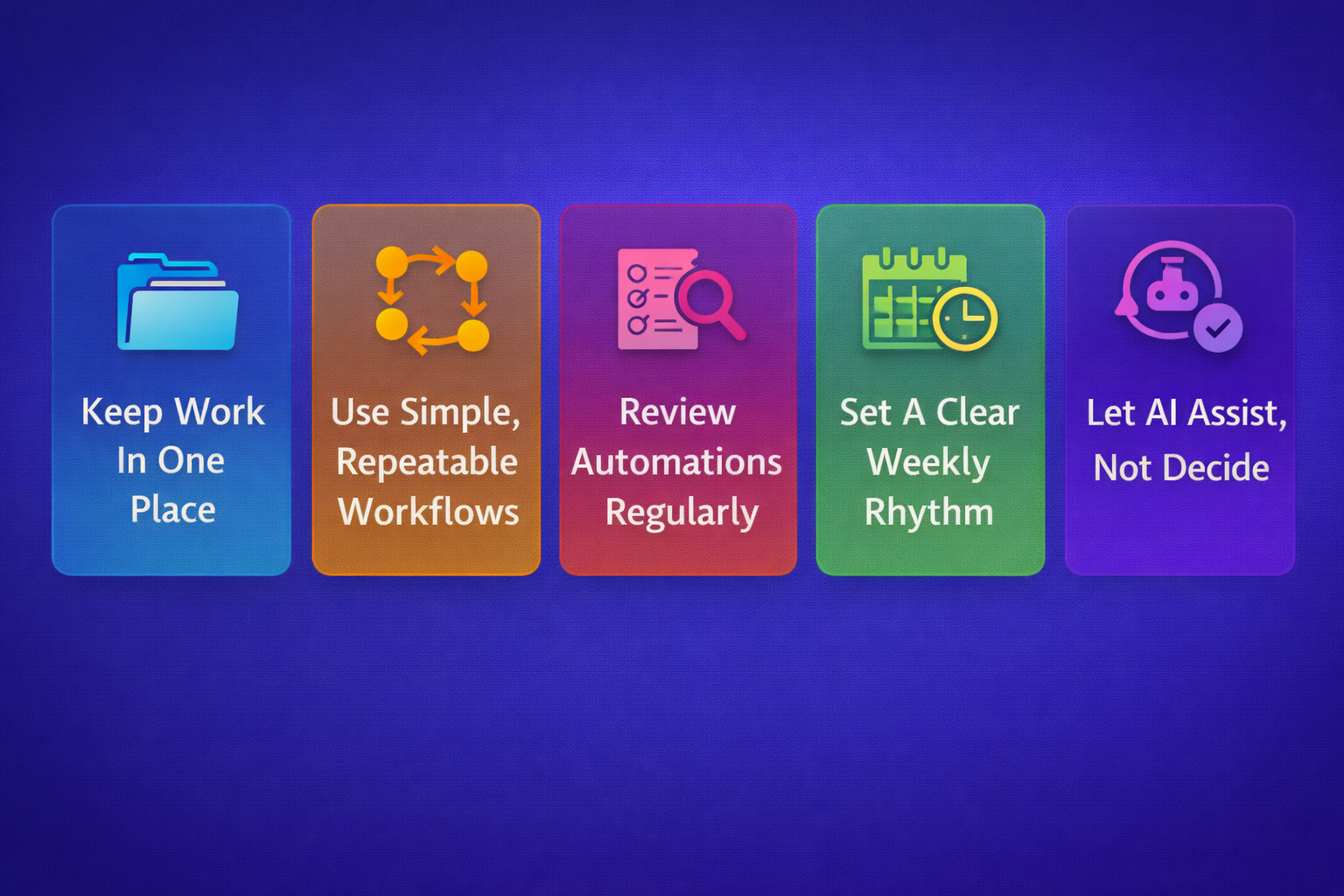
Long-term AI productivity gains come from discipline, not experimentation. Teams that sustain results treat AI as part of their operating system, not a temporary boost. These practices help maintain stable performance gains as work and teams evolve.
Consistency matters more than sophistication. When teams reinforce simple habits and review them regularly, AI continues to support reliable execution instead of drifting into noise.
Keep work in one place
Scattered work undermines visibility and coordination. When tasks, updates, and decisions live across tools, AI loses context and teams lose time. Centralizing work creates shared visibility that AI can act on effectively.
- Tasks remain easier to manage when all work lives in one system
- Fewer updates are missed when single sources of truth are enforced
- AI performs better when context continuity is preserved across workflows
Use simple, repeatable workflows
Complex workflows break under pressure. Simple workflows are easier to adopt, review, and improve over time. AI works best when supporting repeatable patterns rather than exceptions.
- Teams follow workflows more consistently when steps stay simple
- Reuse increases when a clear structure exists across projects
- Improvements compound faster when patterns repeat weekly
Review automations regularly
Automations degrade as work changes. Without review, even helpful automations become outdated or disruptive. Regular reviews ensure automations continue delivering intended outcomes.
- Automation triggers stay relevant when review cycles are scheduled
- Errors surface earlier through performance checks on outputs
- Adjustments prevent friction caused by outdated rules in workflows
Set a clear weekly rhythm
A predictable weekly rhythm reduces decision fatigue. Teams waste less time reacting and more time executing intentionally. AI reinforces this rhythm by supporting planned execution cycles.
- Weekly planning works better when fixed routines guide priorities
- Execution stays smoother when a consistent cadence replaces urgency
- Reviews become easier when weekly checkpoints are clearly defined
Let AI assist, not decide
AI should support human judgment, not replace it. Over-reliance on automation weakens accountability and decision quality. Teams see better outcomes when AI provides decision support rather than control.
- Humans retain ownership when final decisions remain manual
- AI suggestions improve outcomes when human context is applied
- Trust increases when clear boundaries exist between AI and judgment
Mastering efficiency with the best AI productivity tools
AI productivity tools transform the way teams and individuals work by reducing busywork, improving focus, and keeping execution consistent. The key to lasting impact is adopting tools that align with real workflows, reviewing automations regularly, and letting AI assist without taking control.
By applying these practices, teams can save hours each week, maintain clarity across tasks, and achieve more predictable, high-quality outcomes, making AI a true partner in productivity.
_light%201.avif)