.jpg)
Project management can be a demanding role, but tools like ChatGPT are transforming how managers handle daily tasks, from creating technology implementation roadmaps to drafting stakeholder meeting templates.
Using smart ChatGPT prompts for project management helps streamline workflows, improve communication, and boost efficiency. Whether you’re outlining a project plan, resolving team conflicts, or identifying potential risks, AI for project management can make the process smoother and more efficient.
The top 15 ChatGPT prompts for project managers that boost productivity and clarity
The best project managers don’t just work harder; they work smarter. With AI for project management, you can simplify complex tasks, automate routine work, and make faster, data-driven decisions.
Below are 15 essential ChatGPT prompts, grouped by their purpose, each designed to boost clarity, collaboration, and efficiency.
Planning and organization
Every successful project begins with a solid plan. These AI prompts for project management help you outline objectives, set timelines, and ensure every stakeholder understands the bigger picture.
These prompts focus on setting direction and building structure before execution begins.
Team management
People are the heart of every project. These prompts encourage collaboration, address conflicts, and maintain morale, making them ideal AI prompts for project managers looking to lead effectively.
Risk and adaptability
Uncertainty is inevitable in every project, but with early detection and adaptability, risks can be transformed into opportunities. Use these prompts to identify potential threats and develop strategies that keep projects on track.
Communication
Strong communication keeps projects moving forward. ChatGPT can draft emails, announcements, and updates that sound professional and consistent while saving time. These prompts streamline information flow across teams and stakeholders.
Documentation and reporting
Project documentation is essential for accountability and learning, but it’s also time-consuming. With the help of ChatGPT, project managers can quickly generate templates, reports, and summaries that maintain consistency and save valuable time.
Meetings and events
Meetings are a cornerstone of project management, but only if they’re well-structured. These prompts help you prepare effective agendas, capture outcomes clearly, and keep teams aligned without wasting time.
Strategy and improvement
Continuous improvement is what sets great project managers apart. Use these prompts to refine your processes, discover new ways to use AI in your workflow, and sharpen your decision-making strategies.
How to master ChatGPT for project management: 5 key strategies
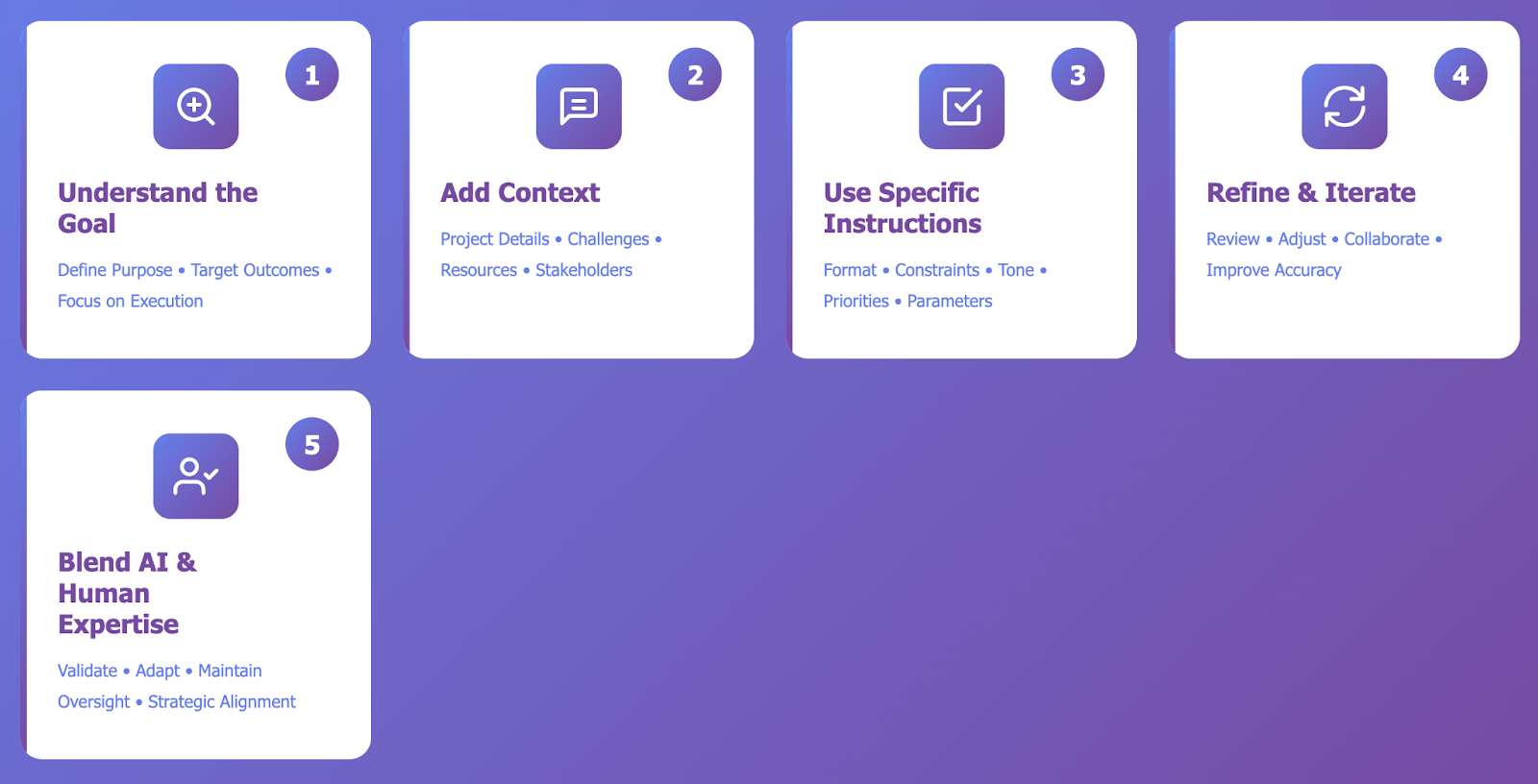
Using ChatGPT effectively in project management requires a strategic approach. When prompted with clarity and context, ChatGPT becomes more than just a digital assistant; it transforms into a reliable collaborator that enhances productivity, supports decision-making, and streamlines project communication.
1. Understand the goal before prompting
Every effective prompt starts with a clear purpose. Before typing anything, define the problem or outcome you want ChatGPT to address.
- Clarify your objective: planning, risk management, stakeholder communication, or reporting.
- Ensure your question targets a specific result rather than broad information.
- Keep the focus on outcomes that directly improve project execution.
2. Add context and background information
AI performs best when it understands the bigger picture. Providing relevant context helps ChatGPT tailor responses to your project’s needs.
- Include details like project type, duration, or key stakeholders.
- Mention challenges, dependencies, or available resources.
- Specify relevant factors such as deadlines or team structure.
3. Use specific instructions and constraints
Guiding ChatGPT with structured directions ensures precise and useful outputs.
- Define the format: table, list, or summary.
- Set parameters such as tone, length, or focus area.
- Highlight priorities, such as timelines, risks, or budget control.
4. Refine and iterate for better accuracy
The first response is rarely the final version. Refinement helps align the AI’s output with your project goals.
- Review and re-prompt to clarify or expand on key points.
- Adjust prompts gradually to reach the desired tone or level of detail.
- Treat iteration as collaboration; each version improves the outcome.
5. Combine AI insights with human expertise
ChatGPT enhances your capabilities but doesn’t replace your judgment. The best results come from blending AI efficiency with human experience.
- Validate outputs for accuracy, feasibility, and relevance.
- Adapt AI-generated insights to suit real-world project contexts.
- Maintain oversight to ensure ethical and strategic alignment.
Take your project management further with AI
Harnessing prompts isn’t just about saving time; it’s about transforming how you lead, plan, and communicate. By integrating ChatGPT for project managers into your workflow, you can enhance productivity, improve clarity, and sharpen decision-making at every project stage.
Start small: test prompts, refine them to fit your needs, and watch your efficiency grow over time.
_light%201.avif)