%20(1).jpg)
For many teams, assigning work involves back-and-forth emails, messy chat threads, and constant follow-ups. It’s a process prone to delays and confusion.
What if, instead, tasks could find the right person almost by themselves, with all the necessary context and deadlines already attached? This isn't a futuristic fantasy - it's what automated task assignment can achieve today.
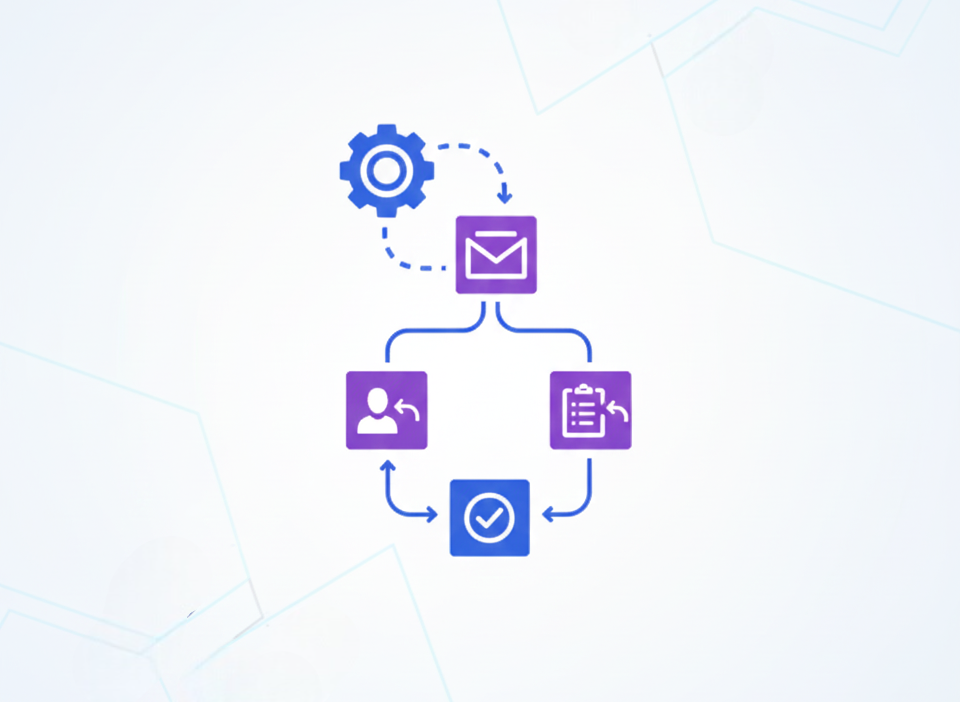
Automation moves tasks from emails, messages, or form submissions directly into your team's workflow, ensuring nothing gets lost. This blog will guide you through the practical steps to build and optimize this system, highlighting the need to focus on the actual work instead of the admin that surrounds it.
Why your team needs automated task assignment
Manual task assignment might seem simple, but the hidden costs add up. Scattered requests across different platforms result in missed handoffs.
Without project management software providing a centralized view, a team member’s true capacity is often invisible, leading to imbalanced workloads.
Automation solves these problems and helps improve your workflow’s consistency and intelligence. The benefits are clear and impactful:
- Eliminates errors: Tasks created from triggers can't be forgotten.
- Ensures clear accountability: Automated workflows can assign a task to one clearly responsible person, include relevant context, and set a specific due date.
- Saves significant time: The manual act of creating, sorting, and syncing tasks across tools eats up more time than most realize. Automation gives that time back.
- Boosts team morale: It prevents burnout by making workloads visible and distributing work based on logic. This clarity reduces stress and confusion.

Ultimately, automating task assignment isn't about removing human oversight. It's about freeing up leaders to manage progress and coach people, rather than just managing logistics.
Core principles for automating tasks effectively
Before you connect your first app, it's crucial to lay the right foundation. Automating a broken or unclear business process will only create more problems.
Map your current workflow
You can't automate what you don't understand. Start by answering these questions:
- Where do new tasks currently originate (e.g., customer emails, project briefs, meeting notes)?
- What information is essential for someone to start the task (deadline, files, background)?
- Who is the right person for this type of work, and how is that decided?
- What are the hand-off points and routine approval steps?
Sketch this process out visually. This map will highlight the repetitive, rule-based steps that are perfect for automation and reveal any existing bottlenecks.
Establish clear human rules
Automation works best with clear guardrails. Define your team's assignment rules upfront:
- Single point of ownership: Every task should have one clearly responsible person. Avoid assigning to groups.
- Capacity and skill matching: The ideal system considers a person's expertise, their current workload, and their availability. The goal is to maximize team productivity without pushing someone past their limit.
- Clarity and context: Every automated task must include a defined successful outcome, a clear deadline, and links to any necessary resources or templates.
How to build your automated task assignment system
Building your system involves selecting the right tools and connecting them to automate tasks on your behalf.
1. Choose your central command solution
First, select a primary task or a tool where all assigned work will live. This becomes your team's single source of truth.
Many tools offer powerful free plans suitable for getting started. When evaluating options, prioritize those that allow for clear assignment, due dates, and status tracking.
2. Select your automation platform
This is the "brain" that helps integrate your apps and execute your rules. You have several strong options:
For most teams starting out, using the built-in workflow features in an app or a dedicated automation platform offers the best balance of power and seamlessness.
3. Design and implement key automations
Start with high-impact, repetitive tasks to build confidence. Here are three practical automations you can implement:
- From communication to task: Automatically create and assign tasks in your tool when a message is starred in Slack or an email is labeled in Gmail. Include the message text as the task description and assign it based on keywords.
- From form to assigned work: When a new request comes in (like an IT ticket or a content request), create a task. Use the form responses to fill in the key details and automatically assign them based on project sprint or team member responsibility.
- From note to action item: At the end of a meeting, your note-taking app can trigger new tasks. For example, a note tagged with "Action Item: [Name]" could automatically generate a task assigned to that person with the due date set for one week later.
4. Integrate AI for assignment efficiency

While traditional automation follows rigid rules, Artificial Intelligence (AI) can add a layer of smart decision-making with analytics.
For instance, AI can analyze the content of a support ticket, summarize the issue, suggest a priority level, and recommend the best-skilled agent for assignment - all before a human manager even sees it.
However, use AI thoughtfully. It's excellent for tasks involving natural language filling or pattern recognition, but may not be suitable for highly sensitive or compliance-critical assignments where predictable, precise logic is required.
Best practices for long-term task automation success

To ensure your automation delivers value without creating new problems, follow these guidelines:
- Start small, then scale: Begin with one or two automations. Refine their operational performance, gather team feedback, and then expand.
- Schedule regular check-ups: Processes change. Review your automations quarterly to maintain effectiveness and detect duplicate tasks or notifications.
- Avoid notification overload: The goal is to create clarity, not clutter. Be selective about automated alerts. Configure workflows to notify people only when their direct action is needed.
- Keep humans in the loop: Use automation for the logistics of assignment, but leave room for human judgment. Allow for manual reassignment and ensure there's always a clear path for team members to flag issues or request help successfully.
Reclaim your time, elevate your teamwork
Automating task assignment is a powerful step toward a more efficient, transparent, and equitable team workflow. It shifts the focus from the tedious "who does what and when" to the meaningful "how are we progressing and why."
By starting with a clear technical process and implementing automations evenly, you can build a system that not only saves time but also empowers your team to continuously evolve.
The most successful teams use technology to enhance human collaboration. Automated task assignment leads to administrative clutter reduction, so your team's energy can be spent on strategic activities like solving problems, being creative, and driving real results.
_light%201.avif)