.jpg)
Did you know that project managers spend an average of 7.4 hours per week just writing Scope of Work documents? Or that 64% of project failures are linked to poorly defined scopes?
Mastering the AI for scope of work process gives teams a critical edge in today’s fast-paced, tech-driven environment. What once required hours of manual drafting and endless revisions can now be completed with precision and confidence in a fraction of the time.
Through advanced scope of work creation and management, teams can ensure every project runs smoothly from planning to delivery with fewer revisions and greater clarity.
5 ways AI can improve your scope of work process
AI is transforming project documentation by making Scope of Work (SOW) creation faster, more accurate, and easier to manage. Through automation, intelligent data processing, and collaboration tools, AI empowers teams to produce professional-grade documents in a fraction of the time. Here’s how to use it effectively, step by step.
1. Use AI to gather and organize project data
Start by feeding your AI tool with project briefs, emails, and meeting notes. The system extracts and structures relevant details, helping you form a clear picture of objectives, deliverables, and dependencies.
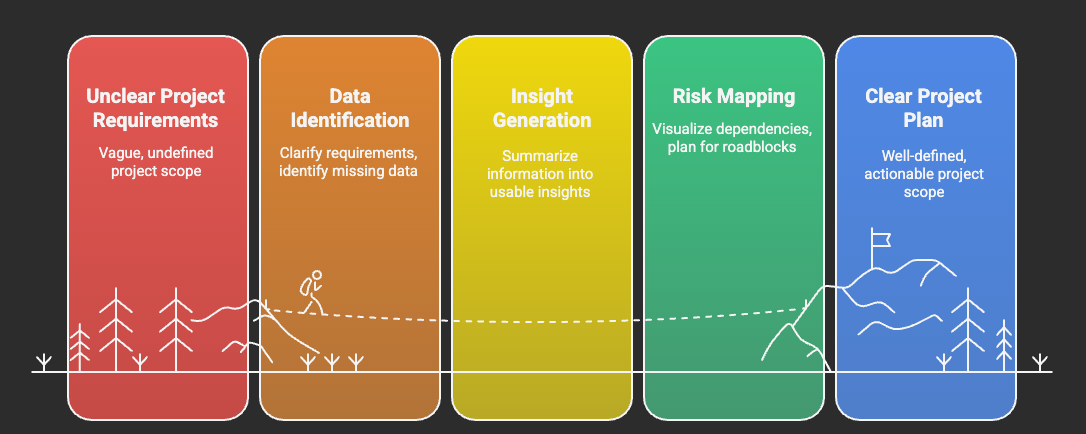
AI helps you:
- Identify missing data and clarify requirements early. This ensures all stakeholders start on the same page and prevents costly revisions later.
- Summarize unstructured information into usable insights. It turns complex, lengthy inputs into clear summaries that guide your planning process.
- Map dependencies and risks before drafting begins. By visualizing potential roadblocks, AI allows teams to plan ahead and allocate resources efficiently.
This step ensures your foundation is solid, reducing confusion and scope misalignment later in the process.
2. Use AI to draft the first version of your SOW
Once the data is ready, prompt your AI tool to create a structured draft. Specify sections like deliverables, timelines, roles, and budgets. AI will generate a coherent outline based on your inputs and industry templates.
Tip: Use AI-driven templates to maintain consistency and branding across all projects. These templates save time and ensure your documents always meet professional standards while allowing flexibility for customization.
3. Refine and validate with human oversight
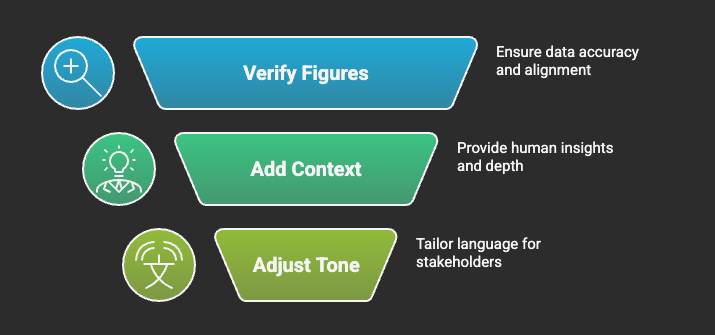
Review the AI-generated draft for compliance, accuracy, and tone. This is where human expertise complements automation and ensures the final output feels authentic and reliable.
Focus on:
- Verifying figures and aligning them with project goals. This step confirms that your data is accurate and aligned with expected outcomes.
- Adding context or technical depth that AI might miss. Human input brings the nuance and specificity that automation can’t fully capture.
- Adjusting tone and terminology for stakeholders. Tailoring your language ensures clarity and builds confidence with clients or partners.
Combining AI precision with human insight produces a credible, professional SOW ready for review and approval.
4. Collaborate and review in AI-integrated platforms
Dart simplifies collaboration by bringing every part of the Scope of Work process into one connected workspace. Its AI-driven tools help teams co-create, review, and finalize documents in real time, keeping communication seamless and organized.
Key advantages include:
- AI planning and commenting. Teams can discuss changes directly within the document while AI suggests improvements, ensuring clarity and accountability.
- Command center and reminders. Manage tasks, set deadlines, and get notified when approvals or edits are due, keeping momentum strong across all project stages.
- Board and calendar layouts. Visualize your workflow, track dependencies, and align team schedules in one view for effortless project coordination.
By combining automation with intelligent collaboration tools, Dart ensures no update or comment slips through the cracks, keeping your Scope of Work creation efficient and transparent.
5. Run final checks with AI for a polished deliverable
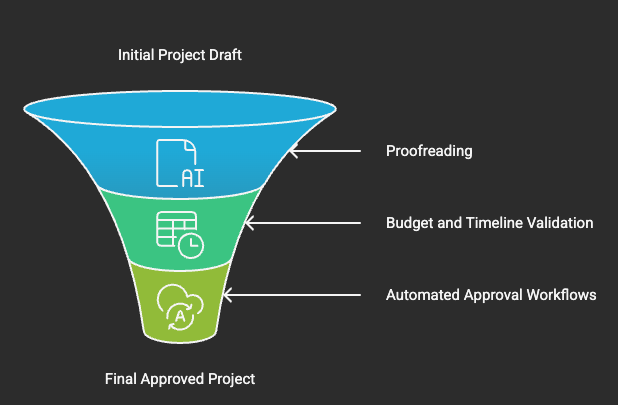
Before submission, use AI’s quality assurance features to scan for inconsistencies, missing sections, or unclear deliverables.
AI ensures:
- Proofreading for structure, tone, and accuracy. This gives your final document a clean, professional polish.
- Cross-checking budgets and timelines. AI automatically validates figures and deadlines to maintain internal consistency.
- Automated approval workflows for quick sign-off. It reduces manual follow-ups, so the project can move forward without bottlenecks.
The result is a refined, accurate Scope of Work, created, reviewed, and finalized in minutes using AI.
Powerful ways AI transforms industry-specific scope of work creation
AI is reshaping how teams draft Scope of Work (SOW) documents, automating structure, accuracy, and compliance. With AI project scoping best practices, IT, Construction, and Marketing teams can create tailored, goal-driven SOWs faster and more effectively.
AI in IT and software development
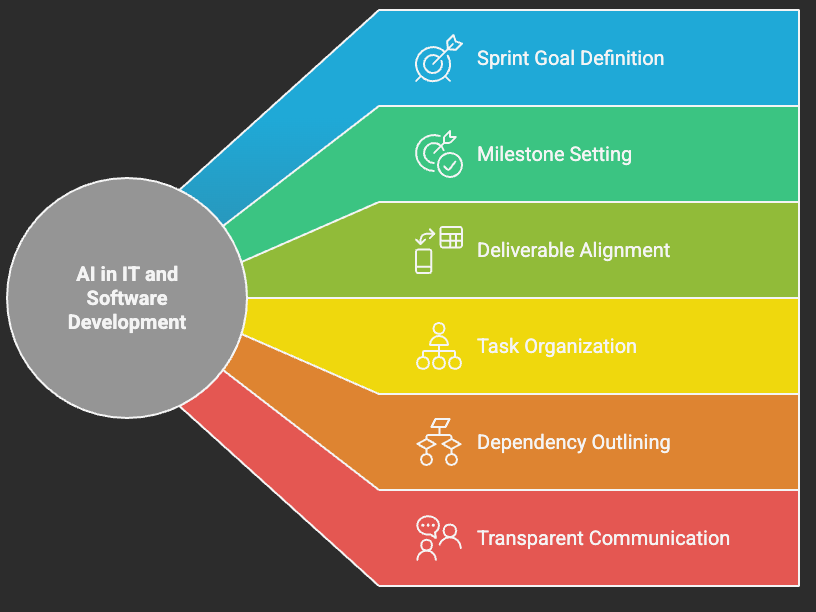
In project management in IT and software development, precision and adaptability are critical. AI helps project managers define sprint goals, milestones, and deliverables that align with Agile frameworks.
It organizes tasks, outlines dependencies, and ensures transparent communication across technical teams. The result is improved sprint planning, minimized scope drift, and faster iteration cycles, all essential for maintaining momentum in fast-paced digital environments.
AI in construction project planning
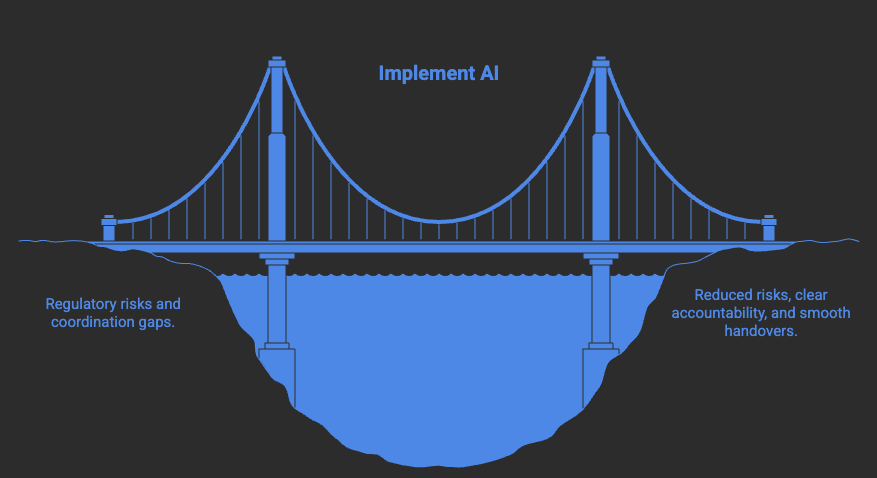
In project management for construction, where compliance and safety are paramount, AI ensures every SOW adheres to strict standards while maintaining flexibility for change management.
It can automatically include safety protocols, material specifications, and payment schedules, reducing the risk of regulatory issues.
AI also assists in coordinating subcontractor scopes, ensuring accountability and clear handover processes across multiple stakeholders.
AI in human resources and talent management
In HR project management, AI simplifies creating SOWs for recruitment, training, and employee engagement projects. It helps outline deliverables, define performance metrics, and align workforce initiatives with organizational goals for better clarity and accountability.
AI in marketing and creative workflows
In Marketing project management, AI transforms the SOW process from a static brief into a dynamic roadmap. It defines project stages, from research and strategy to content creation and performance analysis, while maintaining clarity on deliverables, deadlines, and metrics.
By analyzing campaign data and market insights, AI ensures that creative and strategic goals stay aligned, helping teams deliver consistent results across channels.
Pro tip: Provide your AI system with detailed project context, such as objectives, timelines, and expected outcomes, to generate SOWs that are not just comprehensive but ready for real-world execution.
Optimize and evolve your scope of work with AI automation
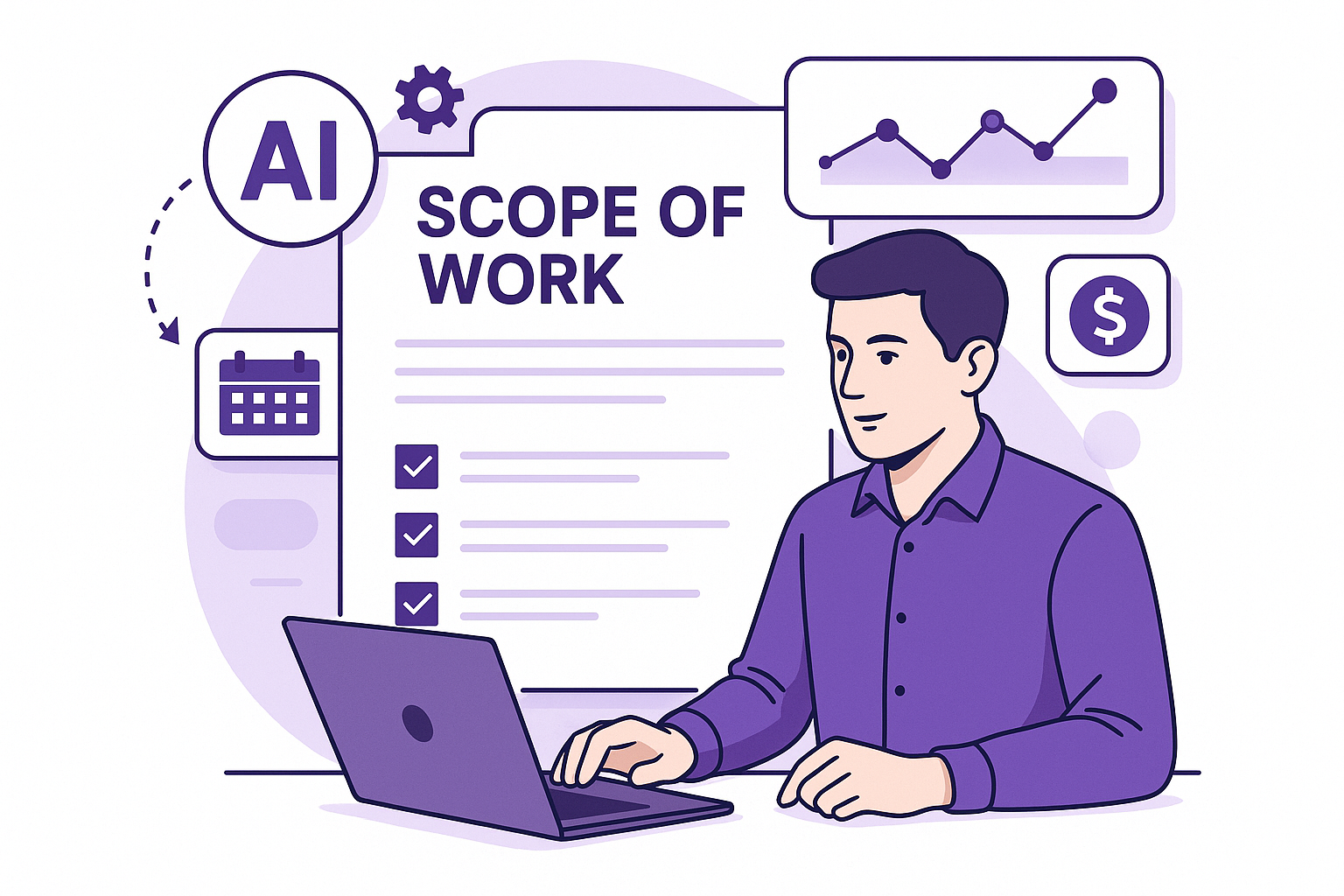
Artificial intelligence doesn’t just simplify writing; it redefines how Scope of Work documents evolve throughout a project’s lifecycle.
From real-time updates to intelligent change tracking, AI ensures every part of your SOW stays aligned with project goals and stakeholder expectations.
AI-powered scope tracking
Managing an SOW across multiple milestones can be complex. AI keeps everything in sync by:
- Monitoring deliverables and timelines to detect delays or bottlenecks.
- Analyzing dependencies between tasks and adjusting related deadlines automatically.
- Highlighting inconsistencies between planned and actual progress for fast correction.
With these capabilities, project managers can maintain clarity and control, even as project scopes shift.
Dynamic updates and smart adjustments
As projects progress, requirements often change. AI helps teams adapt effortlessly by:
- Recalibrating timelines and workloads when priorities shift.
- Suggesting resource reallocations based on real-time data.
- Assessing the impact of new requests on budget and schedule.
This adaptive intelligence ensures that project documents remain accurate and relevant from start to finish.
Automated SOW reporting and insights
Instead of manually generating status reports, AI creates instant summaries that highlight what matters most.
It compiles:
- Progress snapshots for each deliverable.
- Risk indicators for upcoming deadlines.
- Performance summaries for teams and stakeholders.
These reports help decision-makers act quickly, maintaining transparency and accountability across the project lifecycle.
Seamless integration with existing systems
Modern AI tools integrate smoothly into the platforms teams already use, bridging communication and execution.
- Unified dashboards link task management, documentation, and collaboration.
- Command center links communication and execution.
- Intuitive interfaces ensure accessibility without extensive onboarding.
AI turns traditional SOW documentation into a living, evolving asset that drives smarter collaboration and improved project delivery.
Embrace AI for faster, smarter, and more accurate SOWs
For anyone wondering how to write a scope of work that’s both precise and adaptable, AI-powered automation provides the perfect solution, allowing you to generate, refine, and manage SOWs with unmatched speed and accuracy.
From extracting project details to auto-updating scope changes, AI streamlines the entire process, freeing you to focus on execution.
Why spend hours on documentation when AI can do it in minutes? Whether you’re managing complex projects or handling freelance contracts, embracing AI means working smarter, not harder.
_light%201.png)