%20(1).jpg)
With numerous options available on the market, selecting one can feel overwhelming. Yet in practice, most teams rely on a small group of platforms that consistently get the job done.
As demand for better planning, visibility, and collaboration grows, commonly used project management software is the tool that is easy to adopt and flexible enough to scale. These are the platforms teams use on a daily basis, not just during planning sessions.
This article looks at the tools teams use most often and why they continue to lead in real work environments.
Explore the most common & popular project management solutions
Before we go deeper into what each option offers, here’s a quick comparison to help you see how these tools stack up at a glance.
Now, let’s take a closer look at each option and how it supports different team workflows.
1. Dart: The AI-powered challenger
Dart takes a modern approach by applying AI to everyday project management tasks. It focuses on reducing manual effort while helping teams plan work more intelligently. The platform is built for teams that want insight and direction without heavy setup.
- Smart task assignment
- Predictive timeline insights
- Natural language task creation
Known for:
- AI-driven planning and task prioritization
- Reducing manual project setup
- Adaptive workflows that improve over time
2. Microsoft Project: The enterprise powerhouse
Microsoft Project is commonly used in large organizations that manage complex, long-term initiatives. It is built for teams that rely on detailed planning and formal project controls. Many organizations adopt it as part of broader enterprise reporting and governance.
- Strong Gantt charts and dependency tracking
- Advanced resource and cost management
- Portfolio-level visibility across projects
Known for:
- Enterprise-level project planning
- Structured schedules and dependencies
- Centralized portfolio oversight
3. Jira: The agile development champion
Jira is widely adopted by software and IT teams working in agile environments. It supports fast-moving projects where priorities and requirements change frequently. The tool fits naturally into development workflows and sprint-based planning.
- Custom workflows and issue tracking
- Scrum and Kanban boards for sprint planning
- Deep reporting and integration options
Known for:
- Agile and sprint-based project management
- Development-focused workflows
- Detailed issue and backlog tracking
4. Trello: The visual collaboration simplifier
Trello is known for its simplicity and visual clarity. Teams often choose it when they want a quick setup and easy task visibility. It is frequently used as a starting point for organizing work.
- Kanban-style boards for task tracking
- Drag-and-drop task management
- Optional add-ons for calendars and automation
Known for:
- Visual task organization
- Fast onboarding for new teams
- Lightweight project tracking
5. Asana: The flexible work management platform
Asana is popular with teams that need structure without rigid processes. It supports different ways of viewing and organizing work across teams. This flexibility makes it suitable for growing and cross-functional teams.
- List, board, and timeline views
- Workload tracking for team balance
- Strong task-level collaboration
Known for:
- Cross-functional team coordination
- Flexible project views
- Balanced structure and usability
6. Monday.com: Customizable and easy to adopt
Monday.com appeals to teams that want flexibility without technical complexity. Its visual layout makes it accessible across different roles. Many teams use it to align work across departments quickly.
- Custom workflows and dashboards
- Automation for repetitive tasks
- Clear visual tracking
Known for:
- Highly customizable workflows
- Non-technical team adoption
- Visual project tracking
7. ClickUp: All-in-One project management
ClickUp combines multiple productivity tools into a single workspace. Teams often use it to centralize tasks, documentation, and goals. It is especially popular with teams trying to reduce tool sprawl.
- Tasks, docs, goals, and reporting in one place
- Multiple project views
- High customization options
Known for:
- Replacing multiple tools with one platform
- Deep customization
- Centralized team workflows
8. Basecamp: Simplicity over complexity
Basecamp focuses on clear communication and straightforward organization. It is commonly used by small teams that value clarity over advanced controls. The platform keeps work visible without adding complexity.
- Centralized discussions and files
- Simple task lists and schedules
- Minimal setup required
Known for:
- Team communication and clarity
- Simple project organization
- Low setup and maintenance
Choosing the right tool for your needs
The project management software landscape is broad and still evolving. From long-established platforms like Microsoft Project to newer AI-driven tools like Dart, each option is designed around different ways of working. The goal is not to find the most popular tool, but the one that fits how your team plans, communicates, and delivers work.
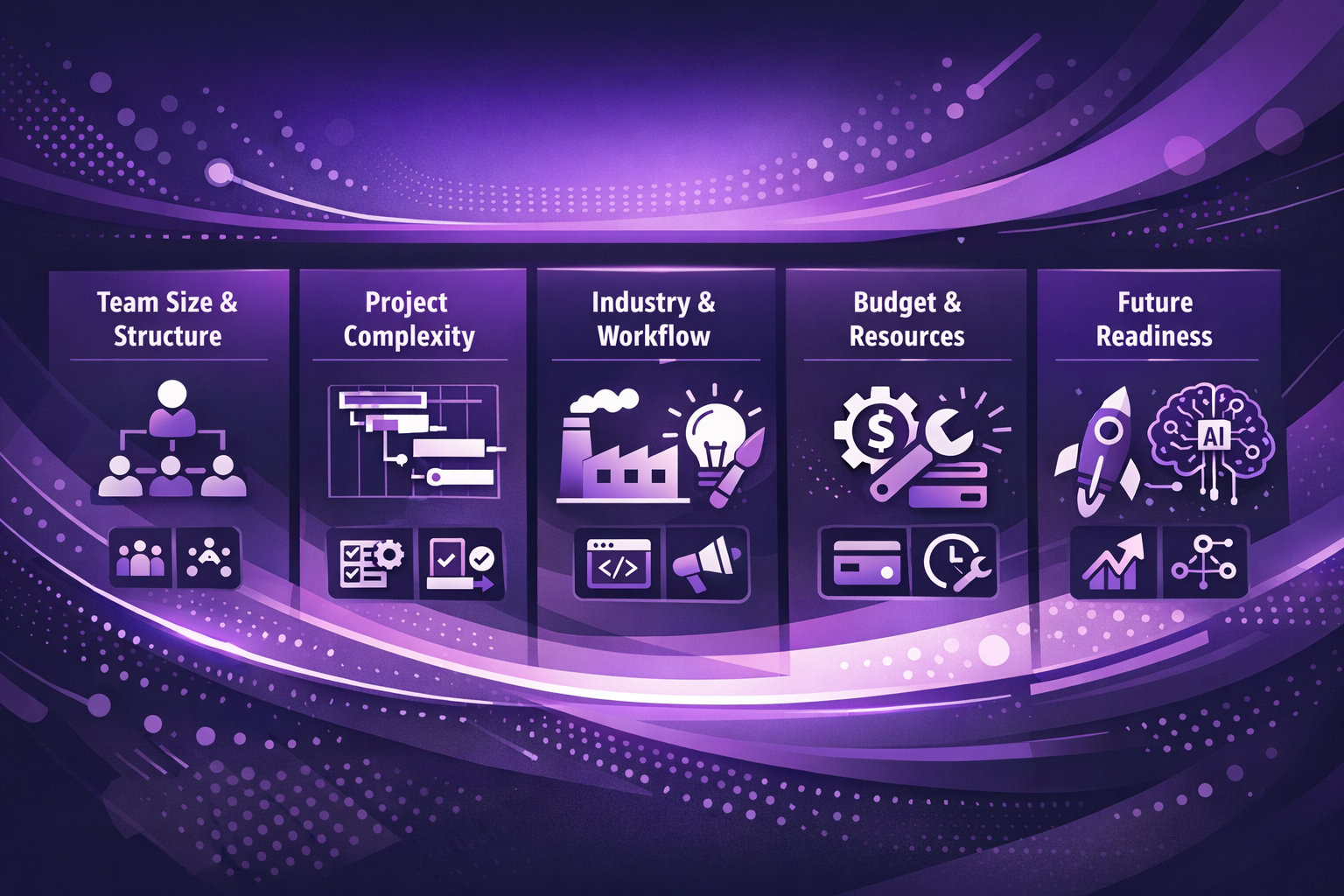
When narrowing down your options, these factors tend to matter most.
Team size and structure
How your team is organized plays a major role in which tool will feel natural to use. The wrong fit can quickly lead to unused features or unnecessary complexity.
- Large or distributed teams often need structured planning and reporting
- Smaller teams usually benefit from simpler, more flexible tools
- Cross-functional teams may need strong collaboration features
Project complexity
The level of detail in your projects should guide how much functionality you need. Tools that are too simple or too complex can both slow teams down.
- Complex projects often require dependencies, timelines, and resource tracking
- Agile or iterative work benefits from flexible boards and sprint tools
- Straightforward projects may not need advanced planning features
Industry and working style
Different industries tend to gravitate toward tools that match their workflows. The way work moves through your team matters more than the tool’s feature list.
- Software and IT teams often rely on agile-focused platforms
- Creative and marketing teams may prefer visual task management
- Operations teams usually value clarity, consistency, and reporting
Budget and internal resources
Cost is more than the price of a subscription. The effort required to implement and maintain the tool should be considered upfront.
- Licensing costs vary widely across platforms
- Setup and onboarding can take significant internal time
- Training requirements can impact adoption and productivity
Future readiness
It helps to think beyond your current setup and consider how your needs may change. A tool that works today should still support your team as it grows.
- Growing teams may need tools that scale without major restructuring
- Automation and AI features can reduce manual work over time
- Flexibility becomes more important as processes evolve
There is no single answer to what works best for every organization. The right option is the one that aligns with your team’s size, workflow, and goals. Many teams find value in testing tools through trials or demos, then reassess their choice as their work and priorities change.
A thoughtful selection now can save time, reduce friction, and support your team’s productivity well into the future.
Key features of an effective software
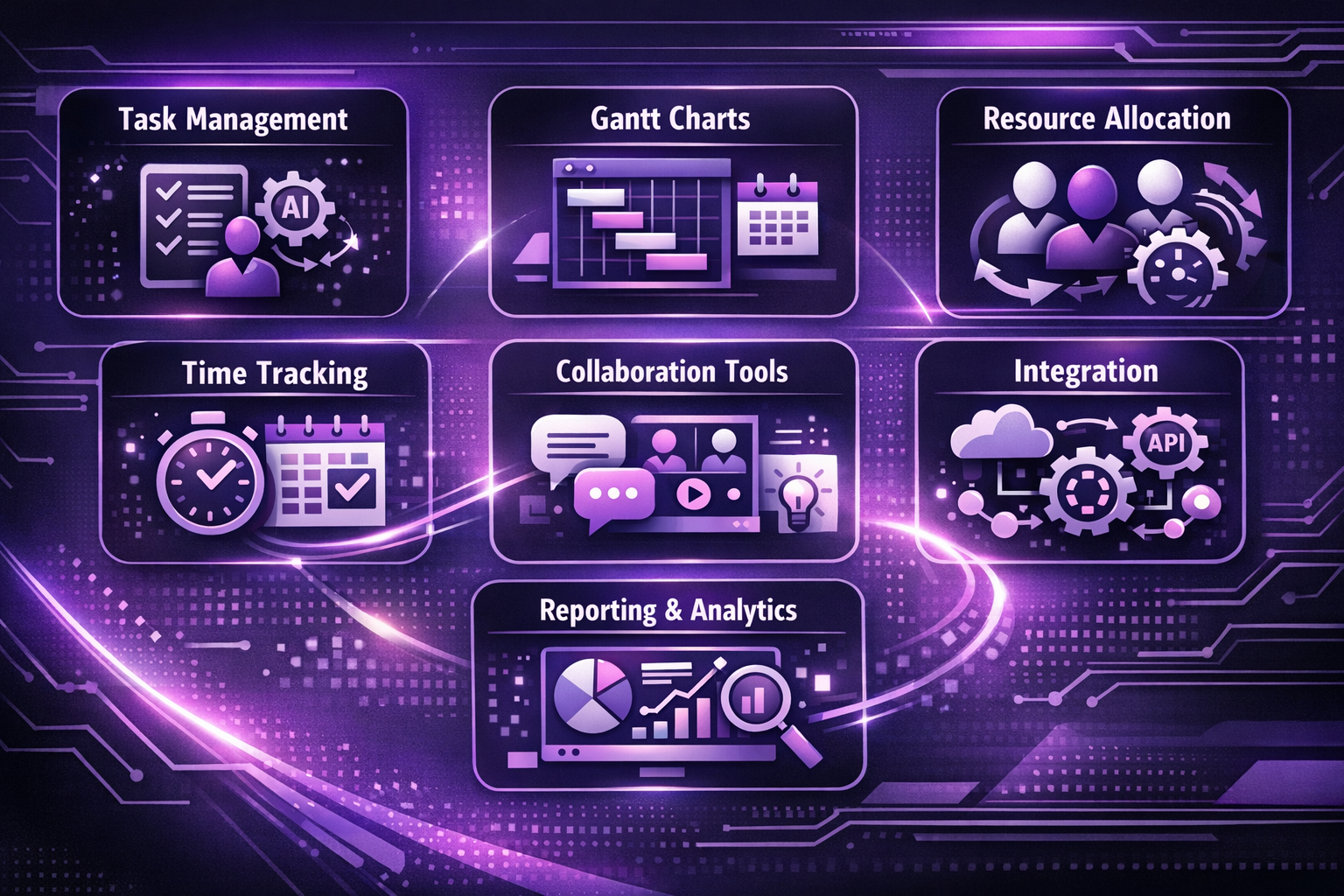
Certain features are essential for meeting the diverse needs of modern projects. Let's explore these must-have features that make the software truly effective and how they're evolving to meet future demands:
1. Task assignment and tracking
The backbone of project management, task assignment, and tracking features ensures that work is distributed efficiently and progress is monitored effectively. As projects become more complex, these features are evolving to incorporate AI and machine learning.
Key aspects include:
- Intuitive task creation and assignment interface
- Clear ownership and accountability
- Progress monitoring with status updates
- Deadline management and reminders
- AI-powered task allocation based on team member skills and availability
- Predictive analytics for task completion estimates
For example, some advanced PM tools now use natural language processing to automatically create and assign tasks from team conversations or emails.
2. Gantt charts and timeline views
Visualizing project timelines and dependencies is crucial for keeping projects on track. Effective software offers robust Gantt charts and timeline features that are becoming increasingly interactive and insightful.
Essential elements:
- Interactive Gantt charts for easy schedule adjustments
- Task dependencies and critical path identification
- Milestone tracking
- Resource allocation visualization
- Scenario planning capabilities for "what-if" analyses
- Integration with real-time data for dynamic timeline updates
Modern Gantt charts are no longer static images but dynamic tools that can adapt to changes in real time, providing project managers with up-to-the-minute visual representations of project status.
3. Resource allocation
Optimal use of team members and assets is vital for project success. Resource allocation features help managers make the most of available resources while preventing burnout and overallocation.
Important functionalities:
- Workload balancing
- Skill-based assignment
- Resource availability calendars
- Capacity planning and forecasting
- AI-driven suggestions for optimal resource allocation
- Cross-project resource management for portfolio-level insights
Advanced PM tools are now incorporating machine learning algorithms to predict resource needs and suggest optimal allocations based on historical data and project parameters.
4. Time tracking
Accurate time tracking is critical for project costing and productivity analysis. Effective software makes time tracking simple, insightful, and increasingly automated.
Key components:
- User-friendly time entry interfaces
- Automated time tracking options (e.g., AI-powered tracking based on computer activity)
- Integration with billing and payroll systems
- Detailed time reports and analytics
- Anomaly detection to flag unusual time entries or potential issues
- Mobile time tracking for on-the-go team members
Some innovative PM tools are exploring the use of blockchain technology for immutable and transparent time-tracking records, particularly useful for contract work and billing disputes.
5. Collaboration features
In today's interconnected work environment, fostering teamwork and clear communication is essential. Collaboration features bring teams together, regardless of location, and are increasingly focused on creating a seamless virtual workspace.
Must-have collaboration tools:
- In-context commenting and @ mentions
- File sharing and version control
- Real-time updates and notifications
- Virtual whiteboards for brainstorming sessions
- Integrated video conferencing and screen sharing
- AI-powered meeting summaries and action item extraction
The future of collaboration in software is moving towards creating immersive virtual project spaces, potentially incorporating virtual or augmented reality for remote team collaboration.
6. Integration capabilities
To create a seamless workflow across various tools, software needs to play well with other business applications. The trend is moving towards creating comprehensive ecosystems rather than standalone tools.
Critical integration features:
- API access for custom integrations
- Pre-built connectors with popular business tools
- Data synchronization across platforms
- Single sign-on (SSO) capabilities
- Workflow automation across multiple tools (e.g., triggering actions in one app based on events in another)
- Integration with IoT devices for real-time project monitoring in industries like construction or manufacturing
Some PM tools are now offering low-code or no-code platforms for users to create their own integrations and automated workflows without extensive programming knowledge.
7. Reporting and analytics
Reporting and analytics have become increasingly crucial in effective project management software. These features provide the insights needed for data-driven decision-making, empowering teams to make informed choices and adjust strategies in real-time.
Essential reporting and analytics capabilities:
- Customizable dashboards for different stakeholders
- Real-time project health indicators
- Predictive analytics for risk assessment and project outcomes
- Automated report generation and distribution
- Data visualization tools for complex project data
- AI-powered insights and recommendations
The future of PM analytics is moving towards predictive and prescriptive analytics, where software not only forecasts potential outcomes but also suggests corrective actions.
By incorporating these key features, project management software can provide a comprehensive solution that addresses the complex needs of modern projects and teams.
As technology continues to advance, we can expect these features to become even more sophisticated, offering deeper insights, greater automation, and more seamless integration across the entire project lifecycle.
Categories of project management software
These tools come in various forms, each designed to address specific needs within the project lifecycle. Understanding these categories can help organizations choose the right tool or combination of tools for their unique requirements:
Many comprehensive PM tools, such as Microsoft Project, Asana, and Jira, incorporate features from multiple categories, offering all-in-one solutions for project management needs.
Common AI features of a project management software
Artificial intelligence is becoming part of everyday workflows rather than an add-on.
Many of these platforms now use AI to reduce manual effort, improve planning accuracy, and help teams make better decisions with less guesswork.
Some of the AI-driven capabilities you will see most often include:
- Intelligent scheduling support - AI can review workloads, timelines, and dependencies to suggest realistic deadlines and schedules. This helps teams avoid overcommitting while keeping projects moving at a steady pace.
- Early risk and delay detection - By analyzing past project data, AI can flag patterns that often lead to missed deadlines or scope creep. These early signals give teams time to adjust before small issues turn into larger setbacks.
- Natural language task input - Many tools now allow tasks to be created using simple written or spoken instructions. AI interprets the request, organizes the task, and assigns it to the right place, speeding up planning and updates.
- Smarter resource allocation - AI can track workload balance and skill distribution across a team. Based on this, it suggests how work can be spread more evenly to reduce bottlenecks and avoid burnout.
- Clearer, insight-driven reporting - Instead of scanning endless charts, AI highlights key trends, progress blockers, and performance insights. Teams get summaries that focus on what actually needs attention.
- Improved document organization - AI helps sort, tag, and surface project files automatically. This makes it easier to find documents when needed, even if the file name or location is forgotten.
As these features continue to mature, AI is becoming less about automation for its own sake and more about supporting better, faster project decisions.
Empower your business with the right solution
Choosing the right project management software shapes how your team plans, collaborates, and delivers work. The most common project management software succeeds because it fits real workflows, not because it offers the most features.
From established tools like Microsoft Project and Jira to AI-driven platforms like Dart, each option supports a different way of working. The key is selecting a tool that matches your team’s size, project complexity, and long-term goals.
When the right tool is in place, teams work with more clarity, fewer bottlenecks, and better momentum.
_light%201.avif)